Common DJI Gimbal Ribbon Cable Problems & Step-by-Step Fixes (2026 Guide)
Black screen, gimbal shaking, calibration failure? Most DJI gimbal issues trace back to a worn ribbon cable. Learn how to diagnose, repair, and replace it correctly.
The gimbal is the core of your DJI drone’s camera system — it delivers buttery-smooth footage, precise lens control, and stable live video transmission during every flight. But after long-term use, hard crashes, or repeated folding and unfolding, one tiny component fails first more often than any other: the gimbal ribbon cable.
A damaged or worn flex cable can trigger a cascade of issues: a completely black camera feed, unstable gimbal movement, unresponsive zoom, or total loss of image transmission. Many drone operators mistakenly replace the entire gimbal assembly, when a simple cable swap can resolve the problem at a fraction of the cost.
In this complete guide, we break down the 5 most common DJI gimbal ribbon cable failures, their root causes, how to accurately diagnose the issue, and the right way to fix it.
What Is a DJI Gimbal Ribbon Cable?
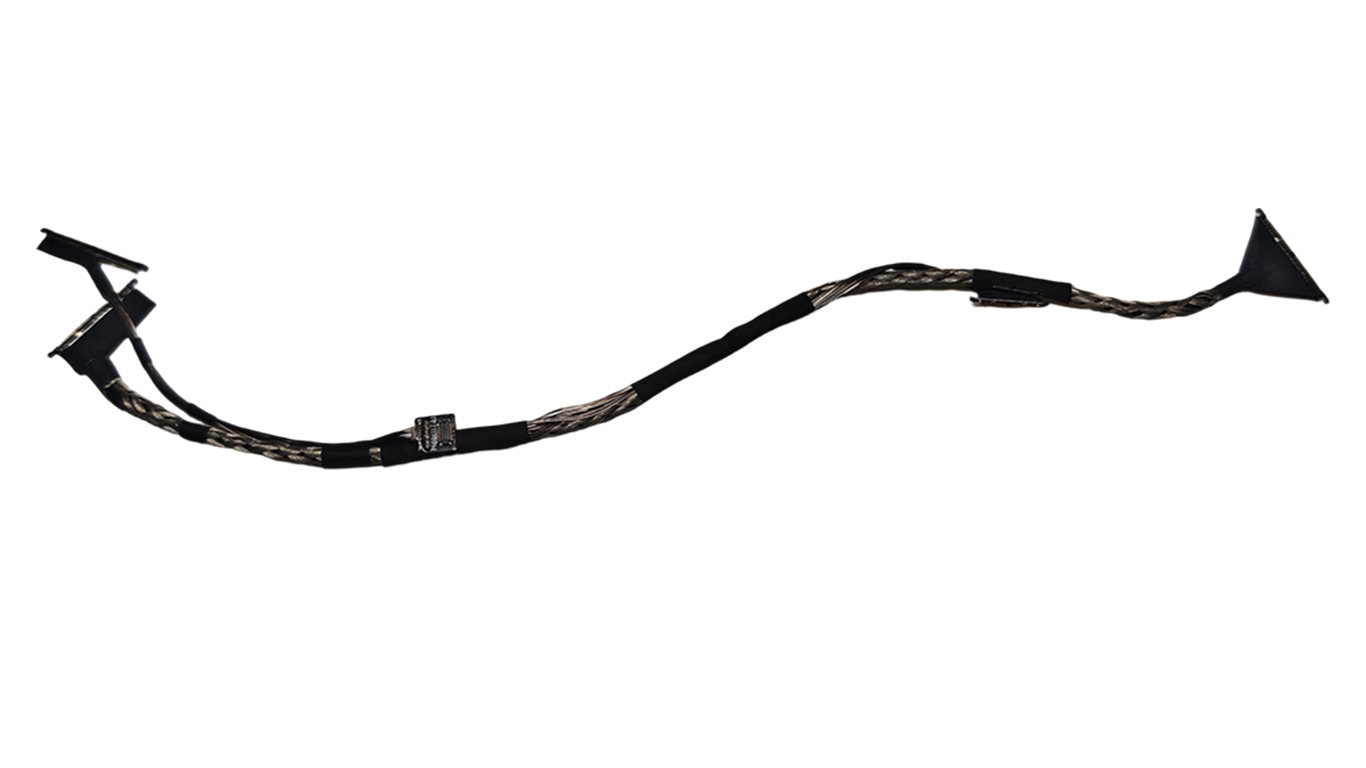
A DJI gimbal ribbon cable (also called a gimbal flex cable or FFC cable) is an ultra-thin, flexible flat cable that bridges the drone’s main flight controller board to the gimbal and camera module.
It acts as the central nervous system for the camera system, carrying 5 critical signals:
- Live camera image and video transmission
- DC power supply to gimbal motors and the camera module
- Gimbal motor control and position feedback signals
- IMU and position sensor data
- Camera communication commands (focus, zoom, parameter adjustment)
Its ultra-flexible design allows the 3-axis gimbal to pan, tilt, and roll freely without interrupting electrical connections — but this same flexibility also makes it highly prone to wear and stress damage over time.
This component is used across nearly all DJI consumer and industrial drone lines:
- DJI Mavic Series (Mavic 3, Mavic 2, Mavic Pro)
- DJI Air Series (Air 3, Air 2S, Air 2)
- DJI Mini Series (Mini 4 Pro, Mini 3 Pro, Mini 2)
- DJI Phantom Series (Phantom 4 Pro, Phantom 3)
- DJI Matrice Industrial Drones (Matrice 300 RTK, Matrice 350 RTK)
5 Most Common DJI Gimbal Ribbon Cable Problems & Fixes
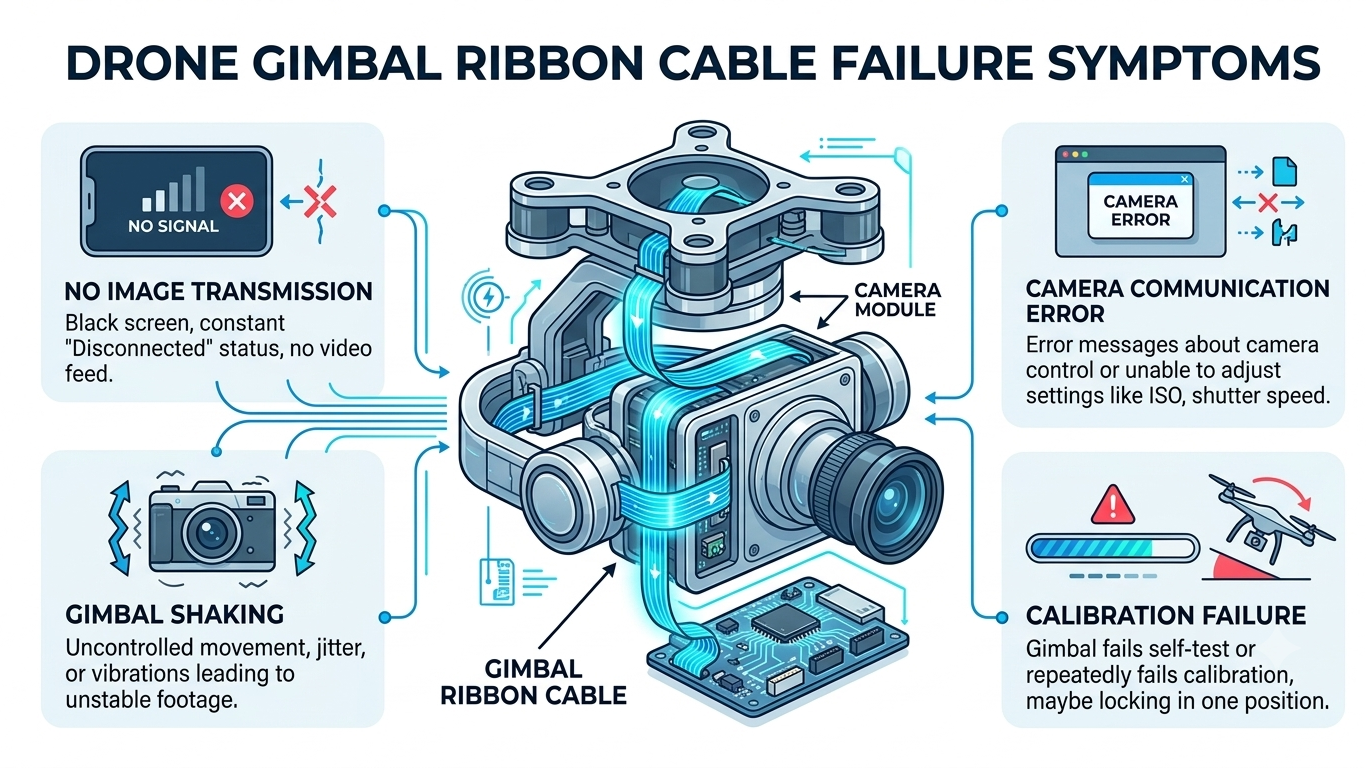
1. No Image Signal / Black Camera Feed
- Solid black screen in the DJI Fly / DJI Go app
- "No Image Transmission" error message appears
- Live video feed cuts in and out randomly
- Camera shows as "disconnected" in app settings
- Gimbal powers on but produces no camera picture
Possible Causes
A fractured internal wire in the ribbon cable is the #1 cause of image transmission failure on DJI drones.
Even if the cable looks intact on the outside, the tiny copper conductors inside can break from:
- Impact stress from hard crashes or rough landings
- Repeated bending from folding/unfolding the gimbal arm
- Tugging or pinching during prior disassembly or repairs
- Oxidation or corrosion on the connector contact pins
- Metal fatigue from years of regular gimbal movement
Solution
Start with the simplest fix first: power off the drone, disconnect and re-seat both ends of the ribbon cable to rule out a loose connection. Use 90%+ isopropyl alcohol and a lint-free swab to clean dust or oxidation from the connector pins.
If reconnection and cleaning do not restore the video feed, a full gimbal ribbon cable replacement is the most reliable and cost-effective repair. In most cases, this will fully restore image transmission without replacing the camera sensor or gimbal motor.
2. Gimbal Shaking & Stabilization Failure
- Violent vibration or shaking when the gimbal initializes
- Drifting or jittery camera movement during flight
- "Gimbal Motor Overload" warning in the DJI app
- Gimbal fails to complete auto-calibration
- Camera tilts or drifts to one side randomly
Possible Causes
A 3-axis gimbal relies on constant, real-time two-way communication between the gimbal motors, position sensors, and flight controller to stay level. A damaged ribbon cable causes intermittent or corrupted control signals, which throw off the entire stabilization system.
Note: Gimbal shaking can also stem from a bent gimbal arm, faulty motor, or physical frame damage. Always rule out physical deformation of the gimbal bracket before replacing electronic parts.
Solution
Before investing in an expensive full gimbal assembly replacement, inspect the ribbon cable first. In 60%+ of gimbal stabilization cases with no physical frame damage, a faulty flex cable is the root cause. Replacing just the cable restores smooth gimbal operation at roughly 1/3 the cost of a full gimbal swap.
3. Camera Focus / Zoom & Control Failure
- Autofocus stops working or hunts back and forth constantly
- Optical / digital zoom function is completely unresponsive
- Camera settings (ISO, shutter speed, exposure) will not save
- Slow or delayed camera response to app commands
- Some camera functions work normally, while others do not
Possible Causes
This is a classic sign of partial ribbon cable damage. The cable contains dozens of tiny individual wires — if only some are fractured, basic functions like power and basic movement may work, but dedicated control lines for focus, zoom, or parameter adjustment will fail.
This partial failure is often misdiagnosed as a broken camera sensor, but in reality the camera module itself is fully functional — it simply is not receiving the control signals.
Solution
Replace the damaged ribbon cable with a high-quality, model-matched replacement part. After installation, test all camera functions including autofocus, zoom, exposure adjustment, and photo/video capture to confirm full functionality.
4. Visible Physical Damage to the Cable
- Visible cracks or splits in the cable body
- Deep creases or permanent fold marks at stress points
- Scratches or tears in the protective insulating layer
- Bent, loose, or pushed-out connector pins
- Frayed edges near the connector ends
DJI gimbal flex cables are engineered for millions of bend cycles, but they have fixed high-stress points — usually where the cable bends during gimbal folding or right at the connector joints.
These stress points degrade much faster after:
- Hard crashes or direct impact to the gimbal
- Improper disassembly or forced installation
- Incorrect cable routing during prior repairs
- Long-term use in dusty, humid, or extreme temperature environments
5. Gimbal Calibration Failure
- Gimbal calibration stops unexpectedly mid-process
- Repeated "Gimbal Calibration Failed" errors
- Persistent "Gimbal Position Error" warning
- Gimbal drifts even after a "successful" calibration
- IMU calibration fails due to gimbal communication issues
Possible Causes
During gimbal calibration, the flight controller sends precise commands to the gimbal motors and receives real-time position feedback from the sensors. A faulty ribbon cable disrupts this two-way communication, causing the calibration process to time out or return incorrect data.
Many users repeatedly attempt calibration without fixing the underlying cable issue — this wastes time and can even put extra unnecessary stress on the gimbal motors.
Solution
If calibration fails consistently, first confirm the gimbal has no physical obstructions and is placed on a flat, level surface. Next, inspect the ribbon cable connections and overall condition. If the cable shows signs of wear or damage, replace it before attempting calibration again. In most cases, a new cable will resolve calibration errors immediately.
How to Diagnose a Bad DJI Gimbal Ribbon Cable (3-Step Check)
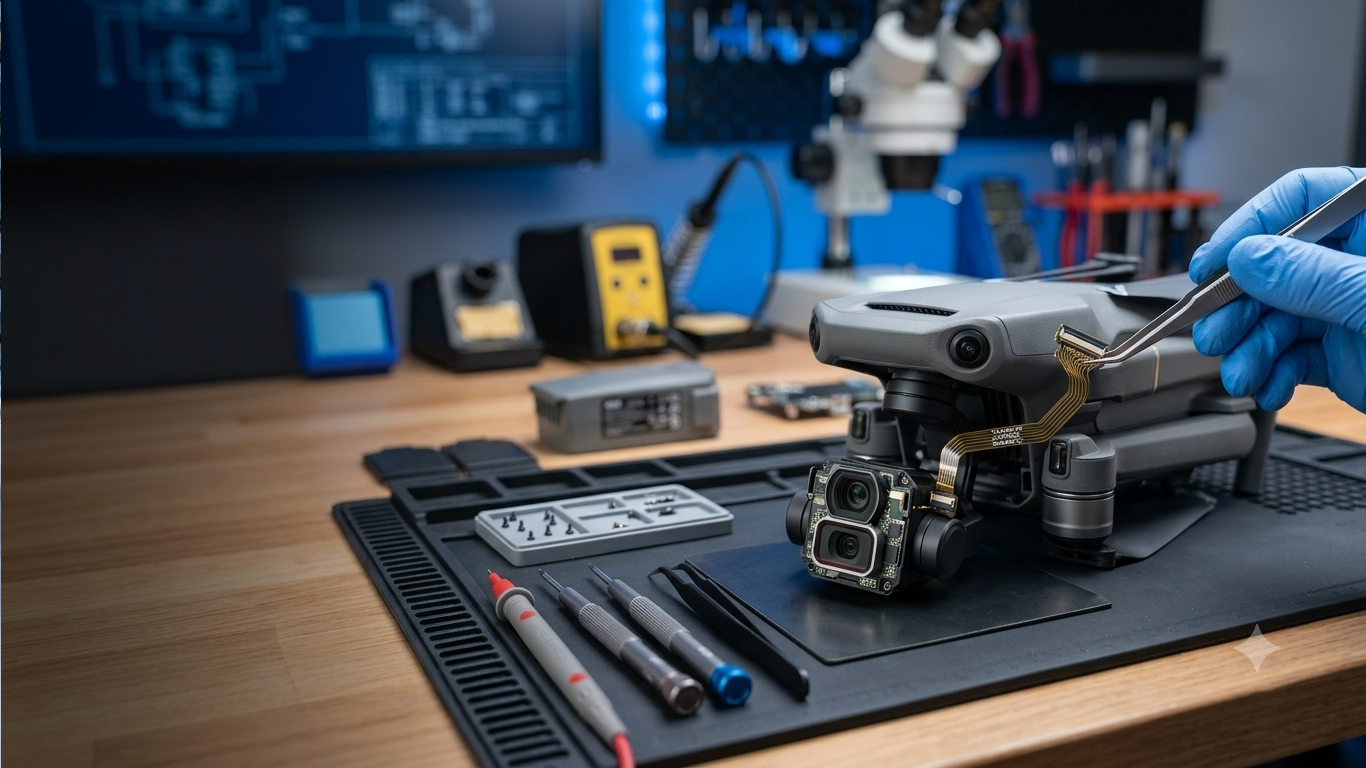
Before ordering replacement parts, follow this simple 3-step diagnostic process to confirm the ribbon cable is the culprit:
Step 1: Visual Inspection
Power off the drone and carefully access the gimbal cable. Check for:
- Cracks, creases, or tears along the full cable length
- Bent or broken pins on the ZIF (zero insertion force) connectors
- Discoloration or corrosion on metal contact points
- Improper routing that pinches, twists, or stretches the cable
Step 2: Connection & Contact Check
- Gently unlock and disconnect both ends of the ribbon cable
- Clean connector pins with 90%+ isopropyl alcohol to remove dust and oxidation
- Reinsert the cable fully and ensure the ZIF lock tab is securely closed
- Verify the cable follows the factory routing path with no tension or pinching
Step 3: Functional Test
Power on the drone and test these functions one by one:
- Live image transmission quality and stability
- Full range of gimbal movement (pan / tilt / roll)
- Autofocus and zoom performance (if applicable)
- Gimbal auto-calibration completion
- Camera setting adjustments and response speed
Key diagnostic rule: If multiple unrelated functions fail at the same time (e.g. no image + unresponsive zoom + calibration failure), the ribbon cable is almost always the cause. A broken camera or faulty motor will typically only affect one single function.
Why Quality Matters for Gimbal Ribbon Cable Replacements
It can be tempting to buy the cheapest replacement cable available, but low-quality flex cables cause more problems than they fix. Inferior cables often have:
- Thinner copper conductors that break after just a few weeks of use
- Poorly fitted connectors that cause intermittent signal drops
- Inconsistent impedance leading to choppy or grainy video transmission
- No protective coating, making them prone to oxidation and early wear
This leads to repeat repairs, wasted labor time, and higher long-term costs for both repair shops and drone owners.
For professional and reliable repairs, always choose replacement cables that meet these standards:
- Exact model compatibility (no universal "one-size-fits-all" cables)
- High-flex copper conductors rated for millions of bend cycles
- Gold-plated connector pins for stable, corrosion-resistant contact
- Reinforced stress points at both connector ends
- Factory-matched cable thickness, length, and pin layout
At DJI Drone Parts, we stock a full catalog of model-specific DJI gimbal replacement components, including premium gimbal ribbon cables, complete gimbal camera assemblies, gimbal motors, main boards, arm assemblies, and more. Every part undergoes full functional testing and quality inspection before shipping, so repair professionals and drone operators can fix drones right the first time.
Frequently Asked Questions (FAQ)
Q1: Can I replace a DJI gimbal ribbon cable myself?
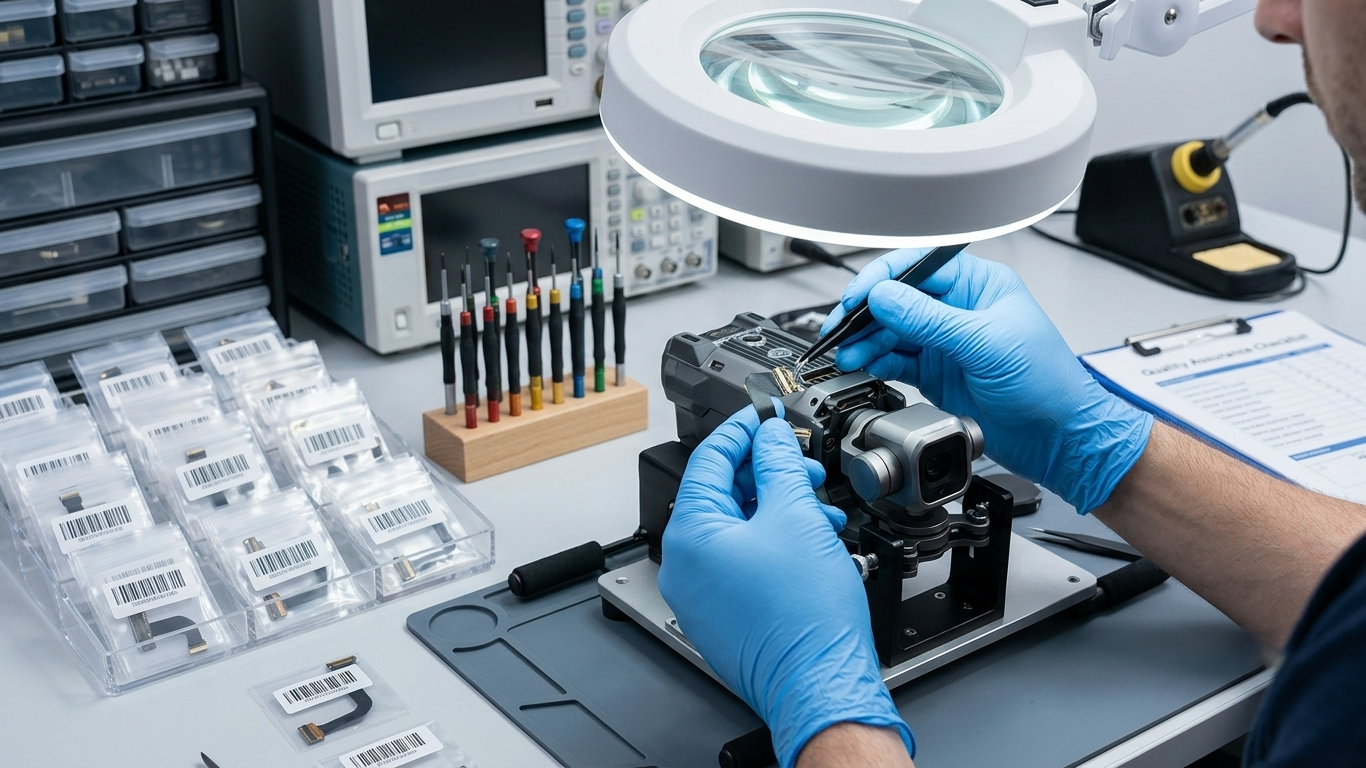
A: Yes, it is feasible for DIY users, but caution is required. Gimbal ribbon cables and their ZIF connectors are very delicate. You will need precision repair tools (anti-static tweezers, a small screwdriver set) and a steady hand. Improper installation can crack the cable, break connector pins, or damage the camera module. For beginners, we recommend following a model-specific repair guide or consulting a professional repair technician.
Q2: Should I replace just the ribbon cable or the entire gimbal assembly?
A: If the gimbal frame is straight, the motors move smoothly with no grinding noise, and the camera lens and sensor are undamaged, replacing only the ribbon cable is almost always the most cost-effective option. Full gimbal assembly replacement is only needed if there is physical damage to the motors, gimbal arm structure, or camera sensor.
Q3: How long does a DJI gimbal ribbon cable typically last?
A: With normal recreational use and no crashes, a factory gimbal cable can last 2–3 years. Lifespan depends heavily on usage conditions: frequent folding, hard landings, crash damage, and repeated disassembly will drastically shorten cable life. For professional commercial drone operators, keeping a spare cable on hand is recommended.
Q4: How do I know which ribbon cable fits my drone model?
A: Gimbal ribbon cables are not universal — each DJI model uses a unique cable with different length, pin count, and connector layout. Always confirm your exact drone model (e.g. Mavic 3 Classic, Mini 3 Pro) before ordering. You can reference your drone’s user manual or contact our support team for compatibility confirmation.
Conclusion
Gimbal ribbon cable failure is one of the most common — and most frequently misdiagnosed — issues with DJI camera drones. Black screens, image loss, gimbal shaking, and calibration errors are often blamed on broken cameras or bad motors, but the humble flex cable is the root cause in the majority of cases.
Before investing in expensive full gimbal replacements, always inspect and test the ribbon cable first. A simple cable swap is a fast, low-cost repair that can fully restore your drone’s camera and gimbal performance.
For professional, long-lasting repair results, always use high-quality, model-matched replacement parts. Browse our full selection of DJI gimbal ribbon cables today, or reach out to our parts team to find the right component for your drone model.


